Product vision · UX/UI Design · TRR · UX designer for the area, with the product team
People find out if their own business adds up on their own, without needing an advisor to explain a spreadsheet
At TRR I was the UX designer for the service that helps people find their next career step: a new job, or a business of their own. I worked with my product development team towards one vision, from career transition to the right next step. For Starta företag I designed the collection page that gathers guides, tools and services in one place, and turned the business calculator from an Excel spreadsheet into a guided digital service: four short questions and one clear answer, the hourly rate you need.
- My role
- UX designer for Sök jobb and Starta företag, in the product development team
- Users
- People TRR helps who are thinking of starting their own business
- Company
- TRR
- Area
- Starta företag: collection page, guides and tools
- Platform
- Web, desktop and mobile, logged in and logged out
- Tools
- Figma
The short version
The problem
The support for starting a business was spread out, and the most useful tool, a calculation, was hidden in a spreadsheet that was hard to use without help.
What I did
A collection page with a clear place to start, built from the same blocks as Sök jobb, and a calculator that starts from the salary you want and gives the hourly rate you need.
What it gives
A self-service tool people can use on their own, on any screen, and a forecast they can change to try their own scenarios.
The vision, and my role
People in career transition don’t all take the same next step. Most look for a new job, some start their own business. At TRR I was the UX designer for both paths, Sök jobb and Starta företag, together with my product development team.
The vision
From career transition to the right next step, for every person TRR helps: a new job, or a business of their own.
My role
I designed the vision for the product team and led the design towards it. For Starta företag I designed the collection page and the business calculator, from the first sketches to development-ready design, and made sure we followed our design process along the way.
The other path: Sök jobb, from match profile to first interview
The collection page: one place to begin
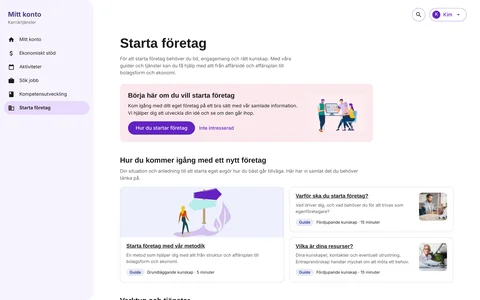
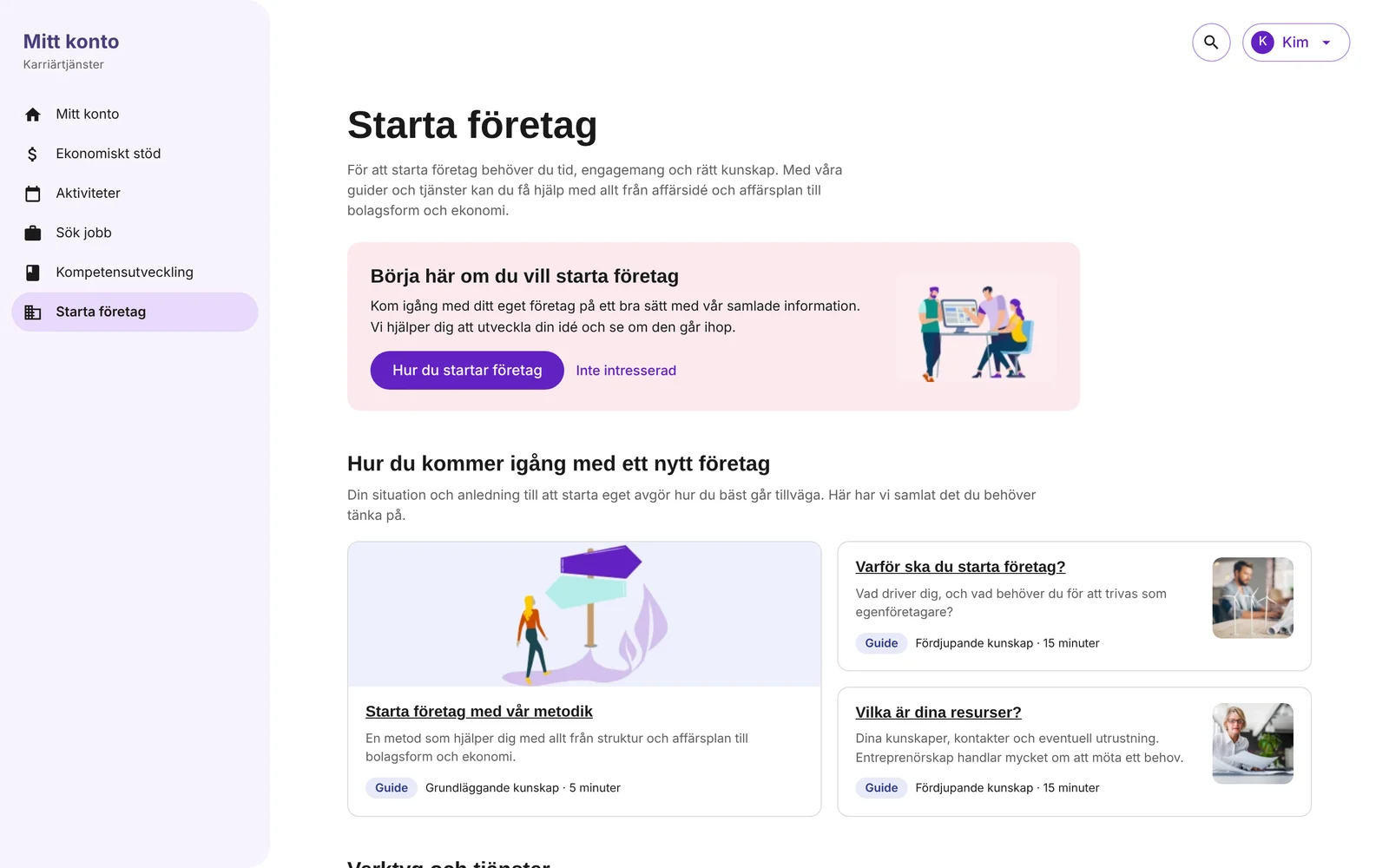
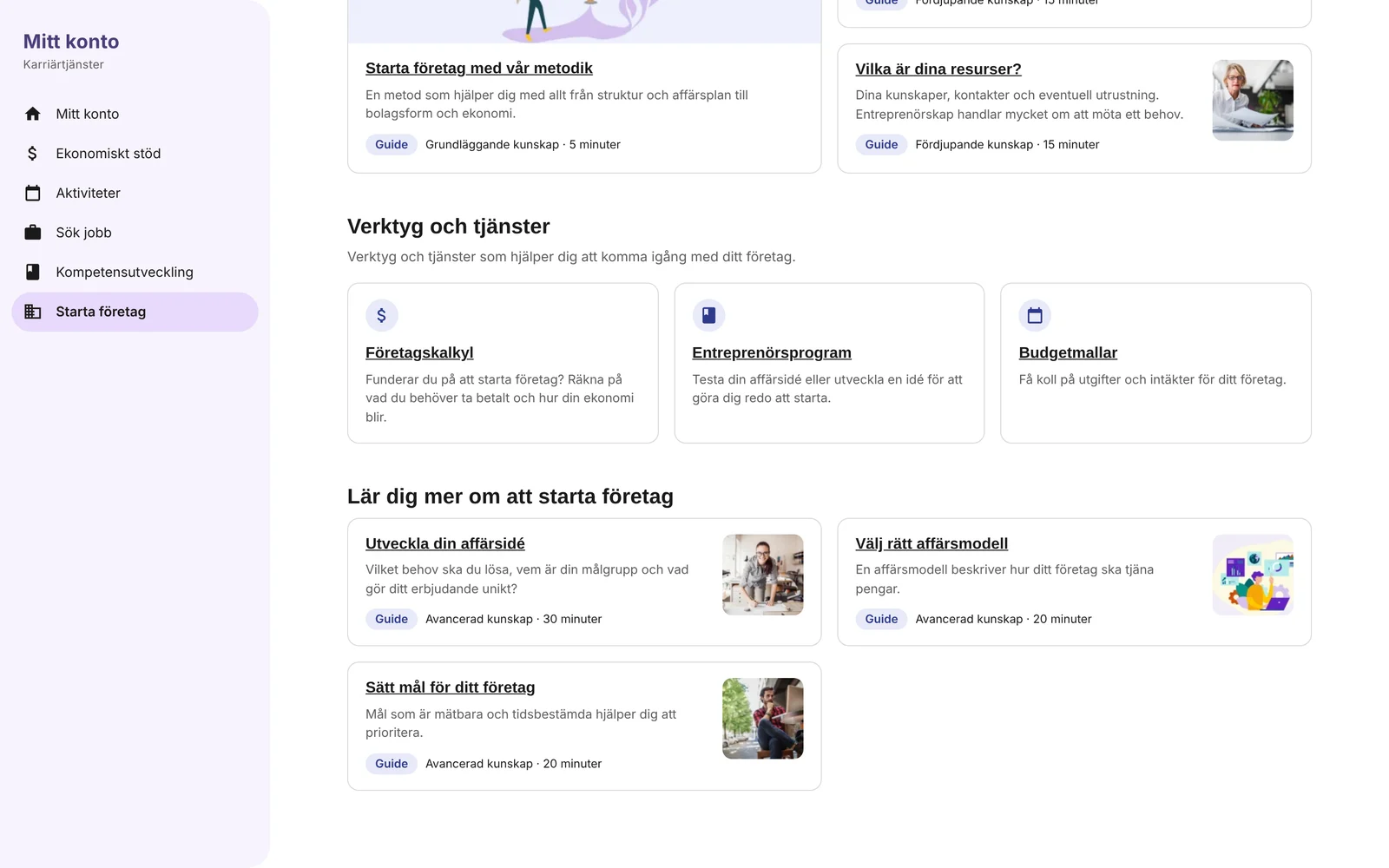
Like Sök jobb, Starta företag got a collection page: the guides, tools and services for starting a business, gathered in one place and in an order that shows where to begin. It was built from the same blocks as the other collection pages, so the support at TRR feels like one service.
Start here
A card at the top with the first step, and a way to say “not interested”. Its message changes with the person’s situation.
Guides with level and time
Every guide says if it is basic or in-depth, and how long it takes, so people can choose what fits right now.
Tools next to the reading
The business calculator, the entrepreneur programme and the budget templates sit in their own block, one click from the guides.
The collection page
The calculator: the problem
Starting your own business is one of the paths TRR supports. Before people take that step, they need to know if it adds up: what would I have to charge to live on it?
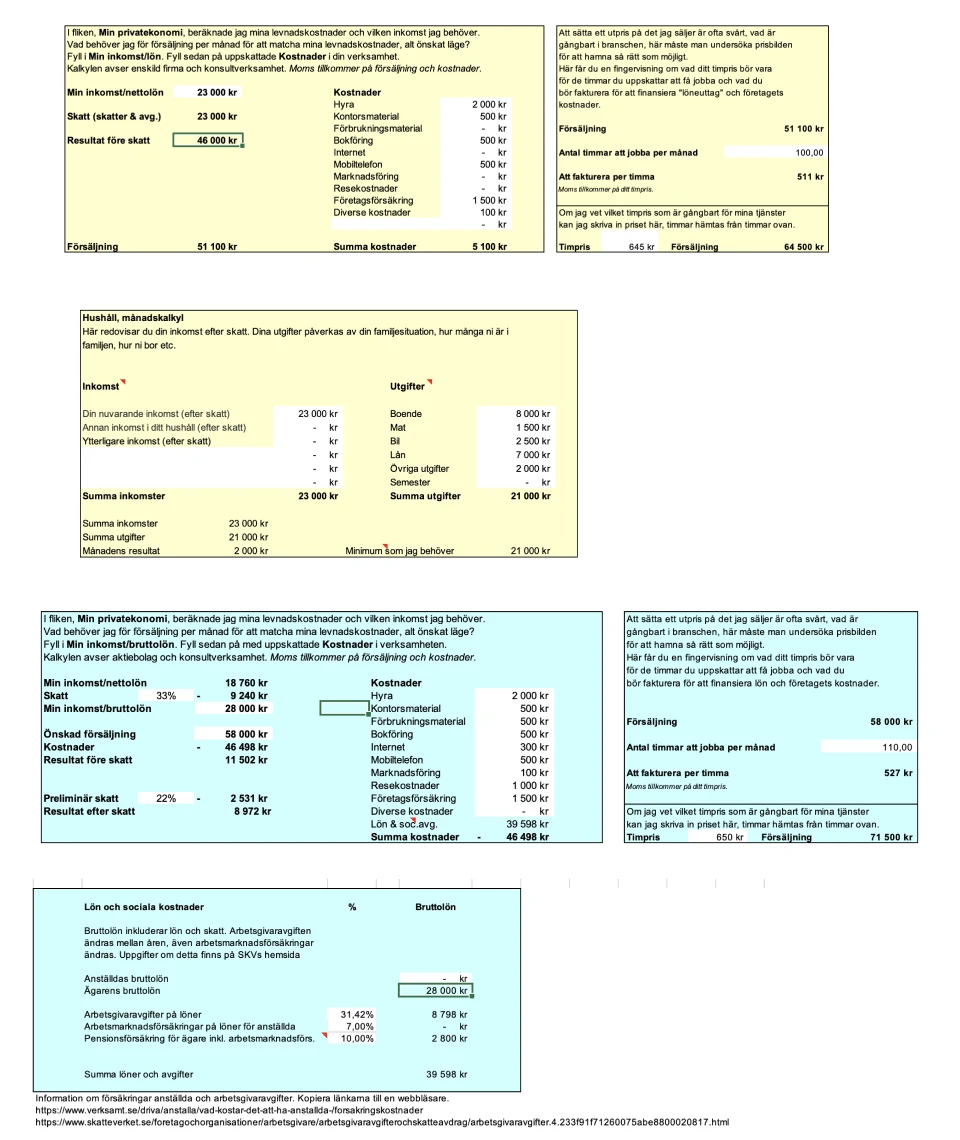
The answer was in an Excel spreadsheet. The logic was sound, but the format got in the way.
Hard to know where to start
Several boxes and tabs, each with its own instructions. Nothing said which to fill in first, or what the result was.
Words from accounting
“Resultat före skatt”, “bruttolön”, “soc. avg.”: correct, but not how people think about their own money.
The answer came last
The question people had, what do I need to charge, was a small cell at the end of a long chain.
The goal
Make the calculation a digital service that people can use on their own, without an advisor next to them.
The design challenge
The service had to keep everything that made the spreadsheet correct: salary and tax, household costs, company costs, billable hours, and the difference between a sole trader and a limited company. And it had to feel simple to someone who has never run a business.
Simple, not simplified
Keep the logic, change the order and the words.
Key design decisions
- Turn the calculation aroundThe spreadsheet went from costs to sales to hours. People think the other way: this is the salary I want. So the service starts there, and ends with the hourly rate.
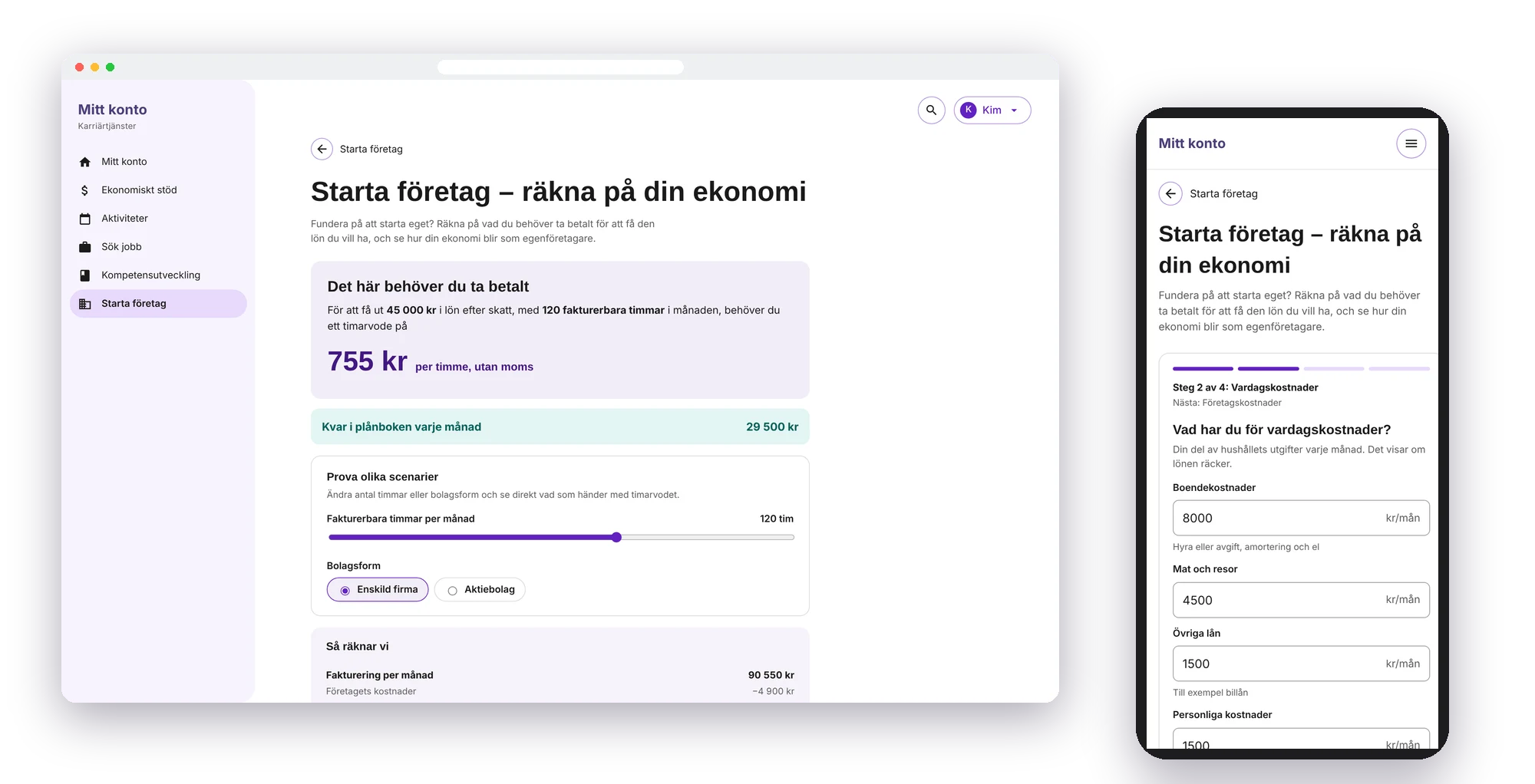
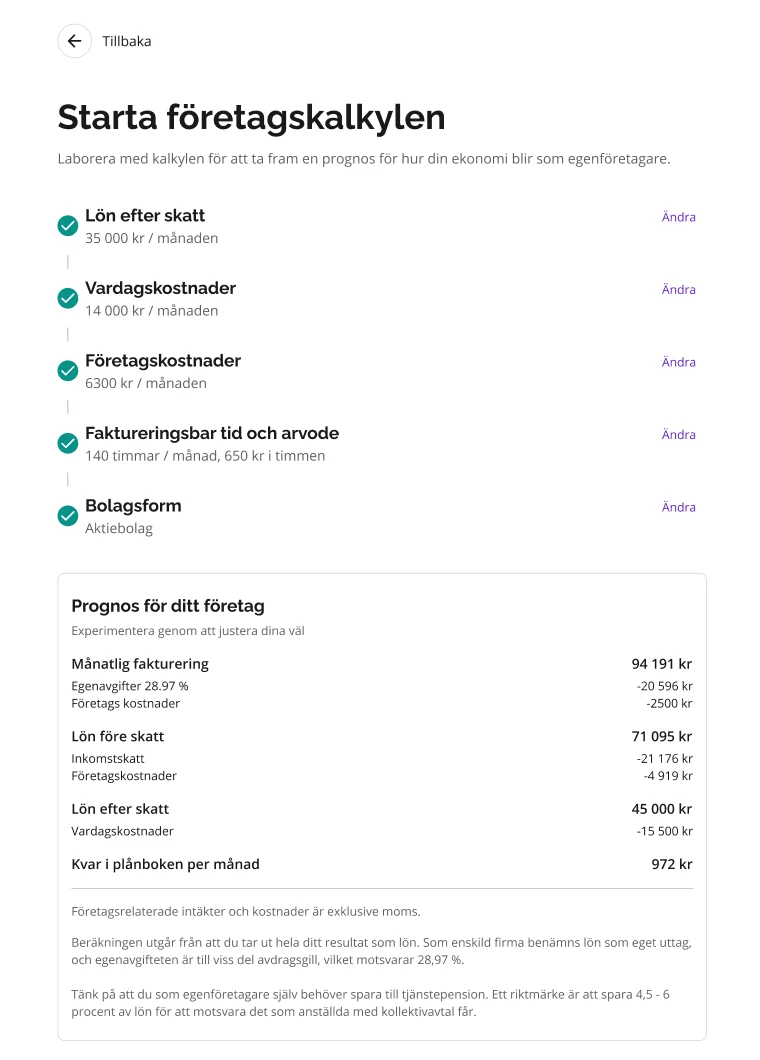
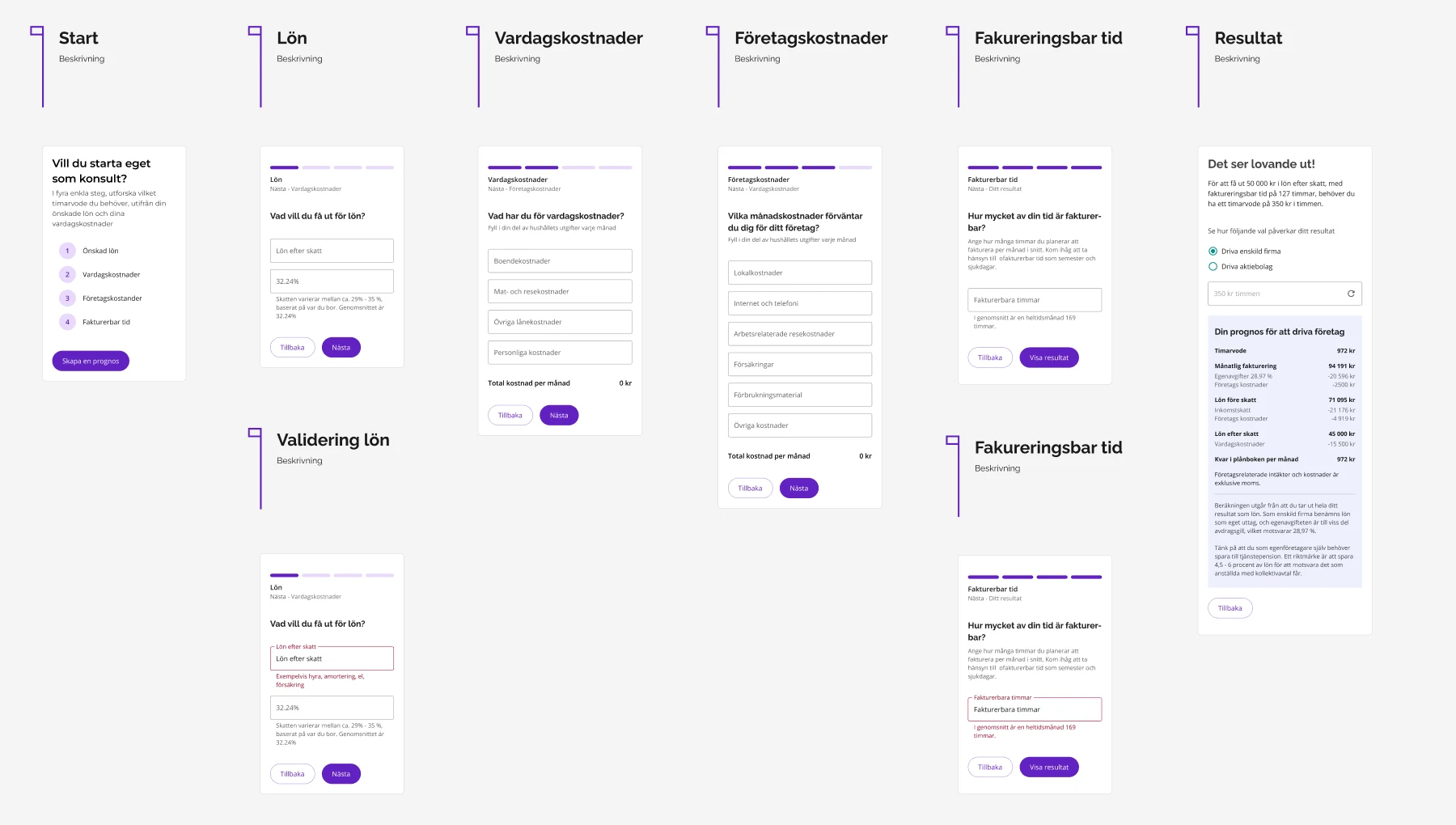
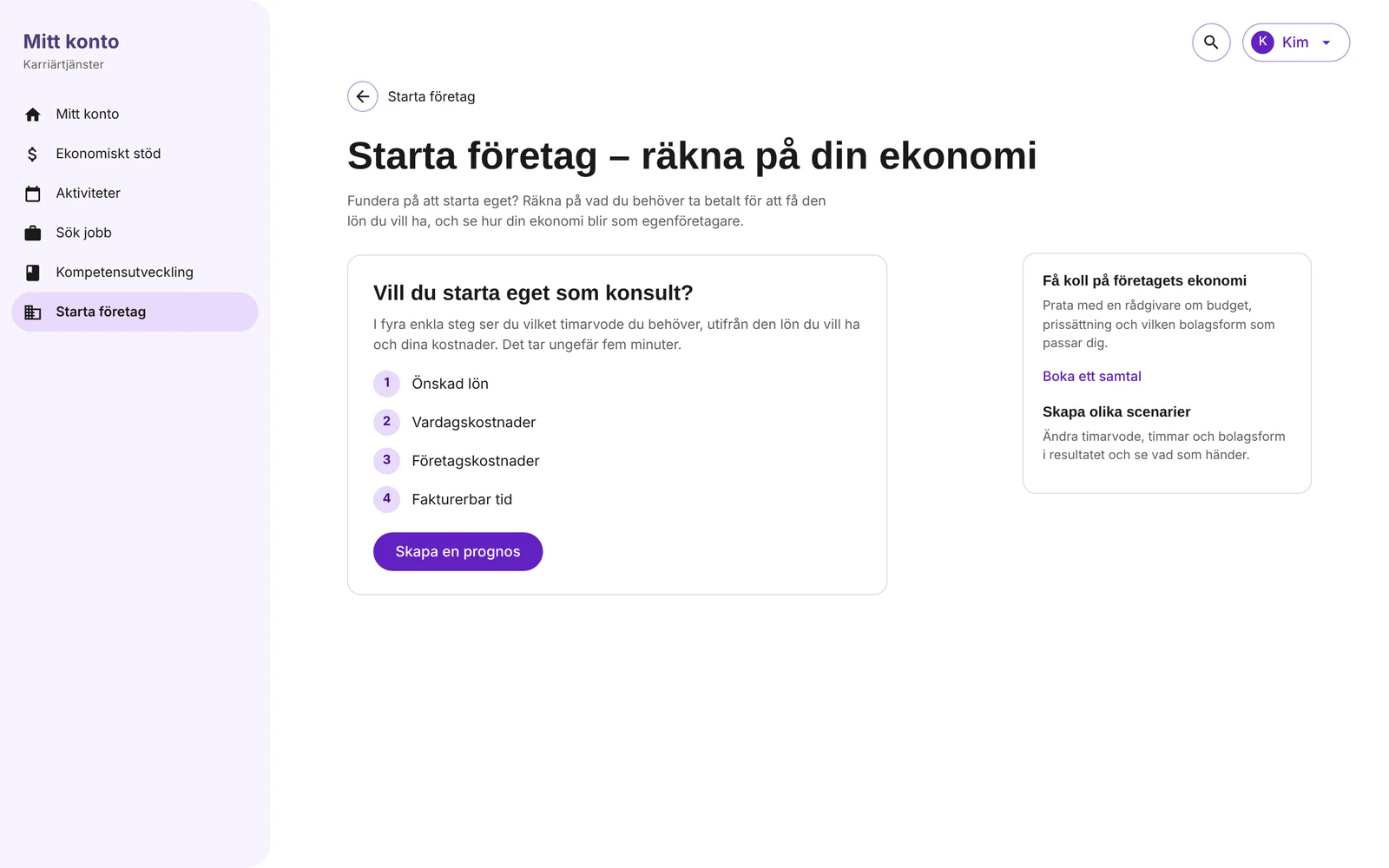
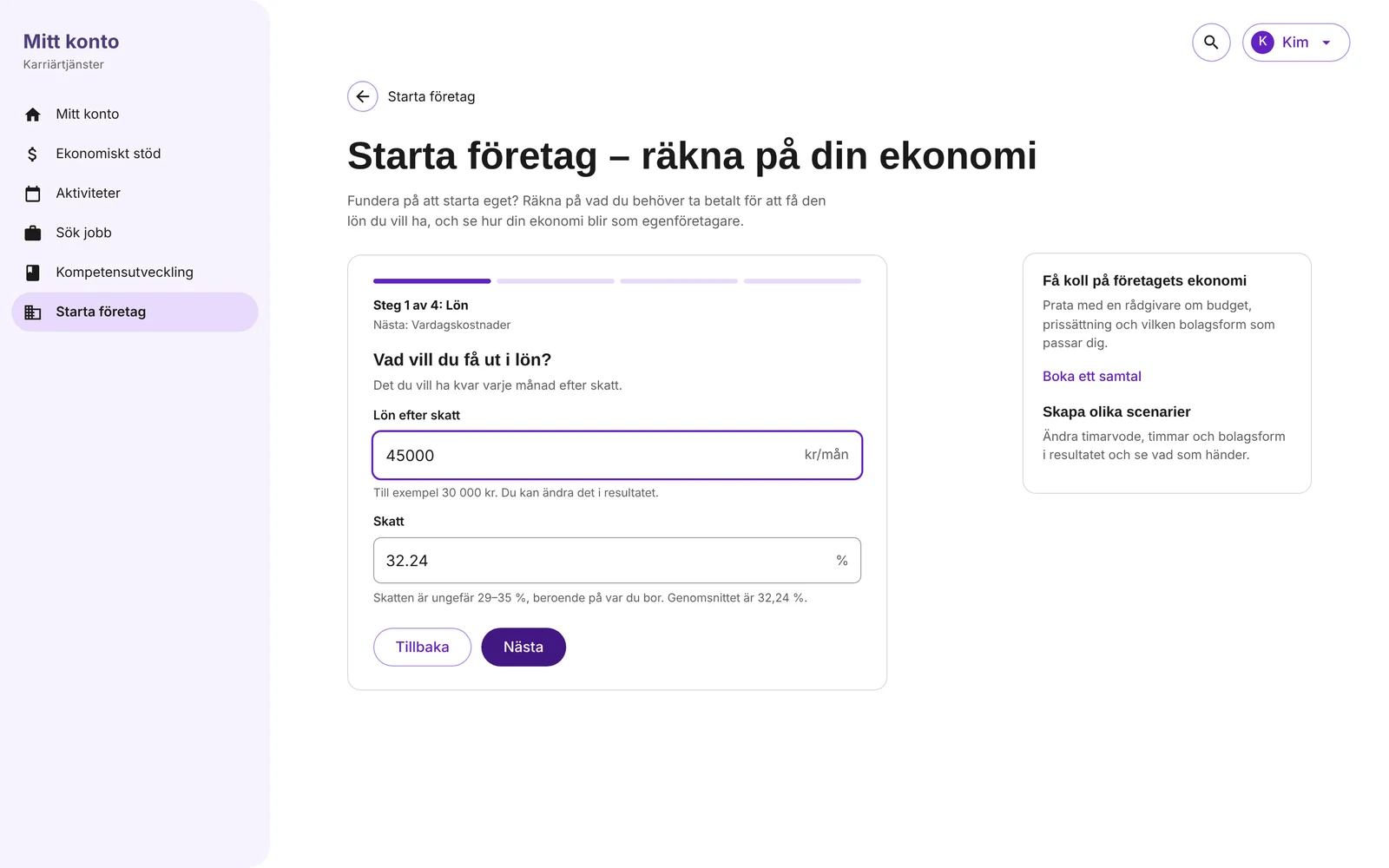
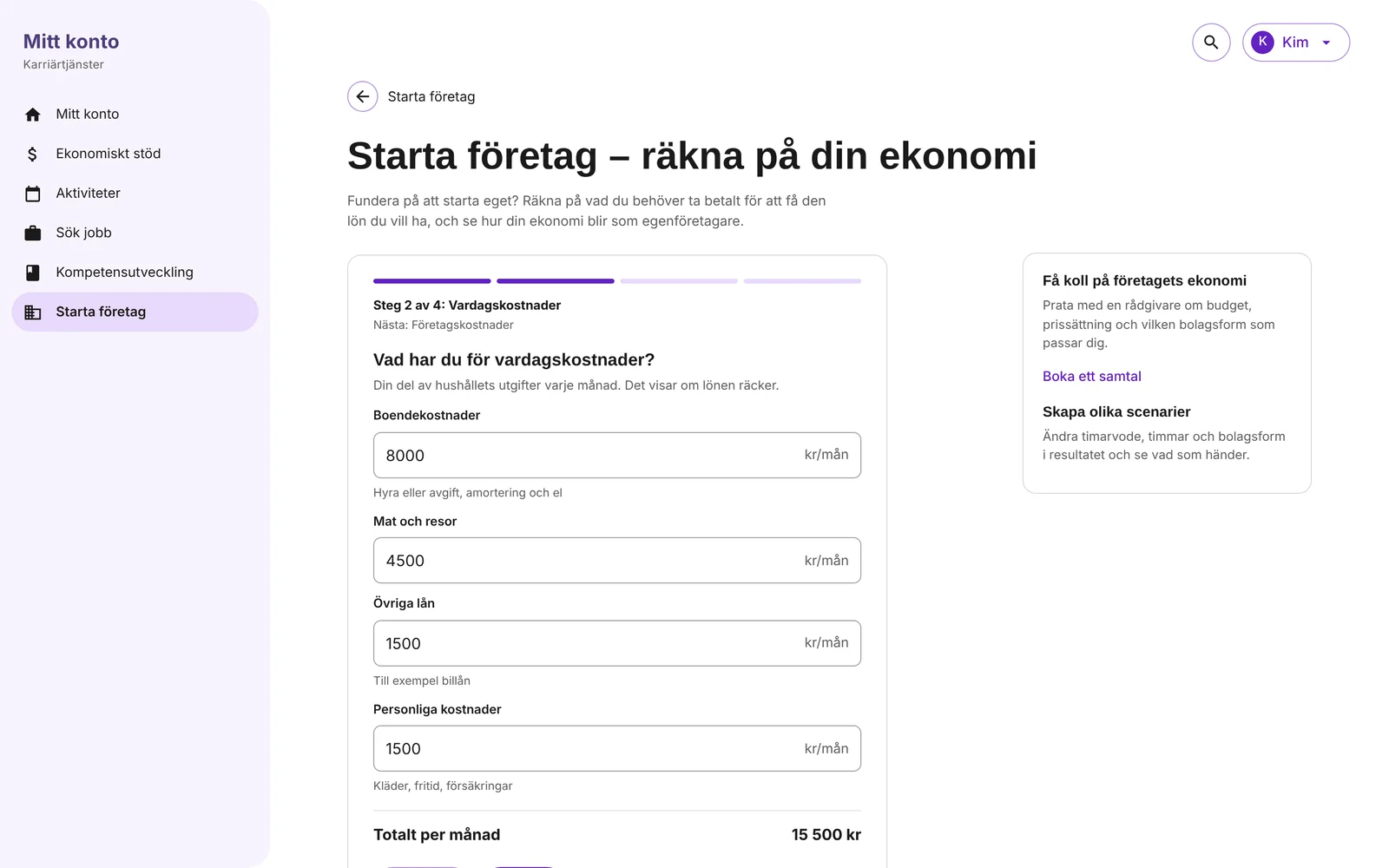
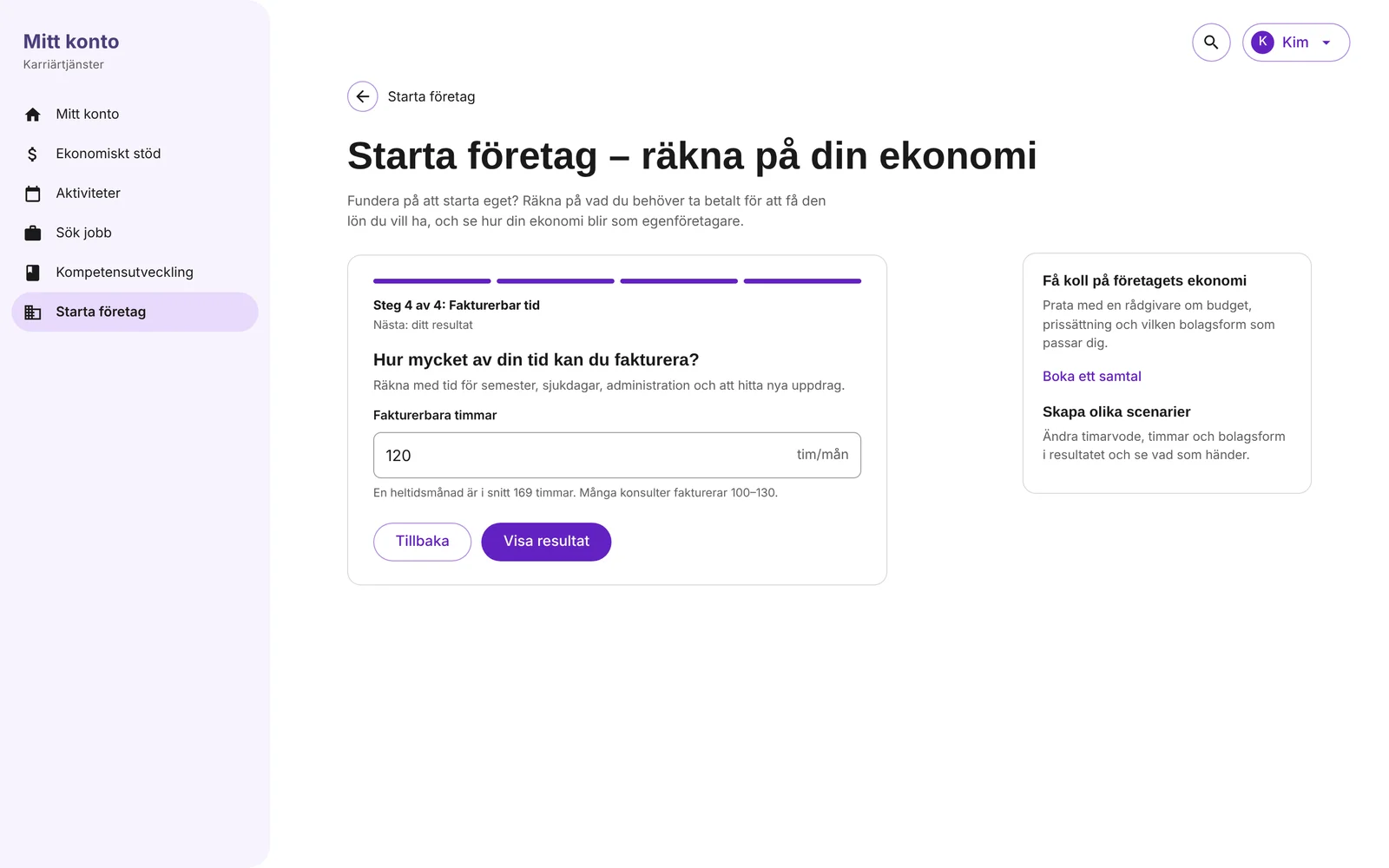
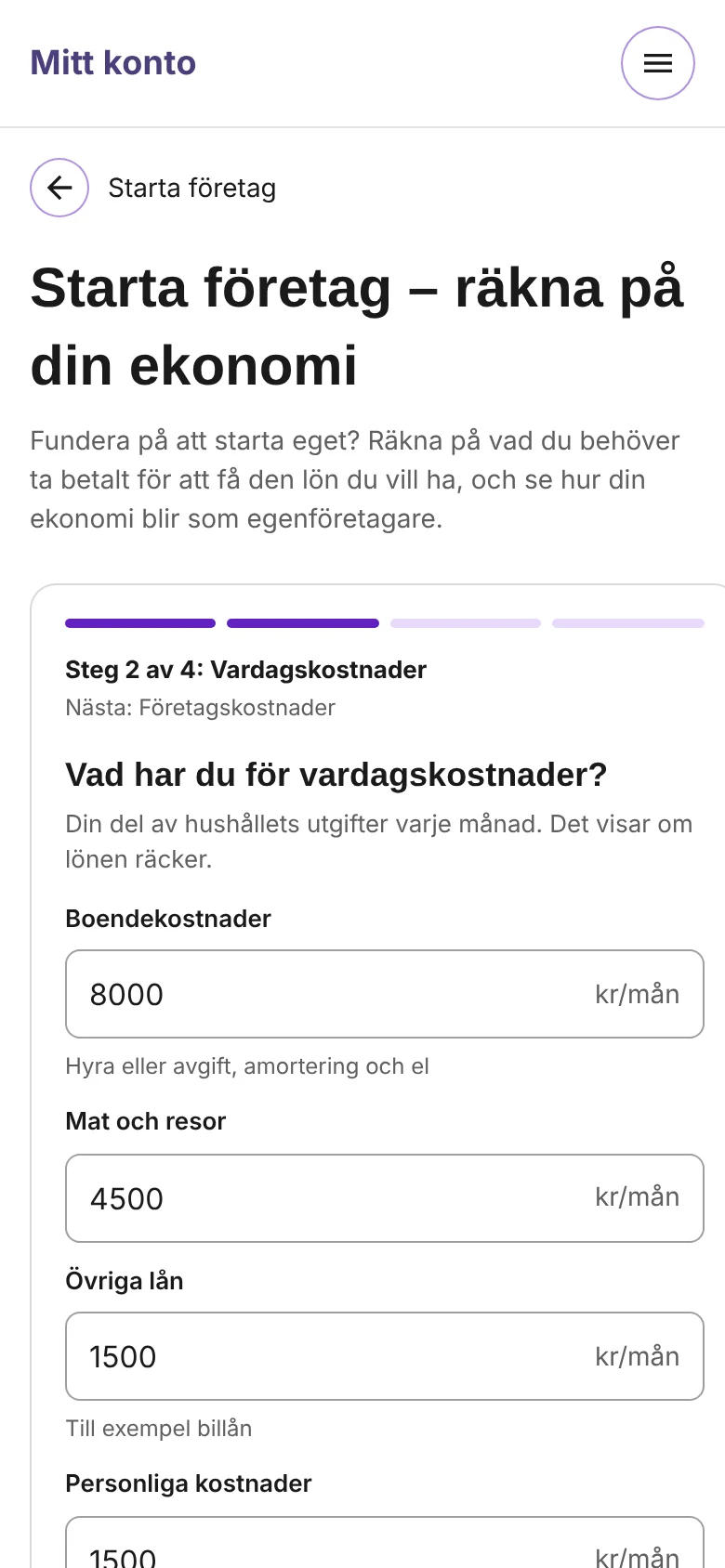
- One question per stepFour steps, each with one question in plain words, a progress bar and the next step named. You always know what is done and what is left.
- Help where the doubt isThe average tax rate is filled in, with the range next to it. Billable hours come with the full-time average and a reminder about holidays and sick days. No help pages to look for.
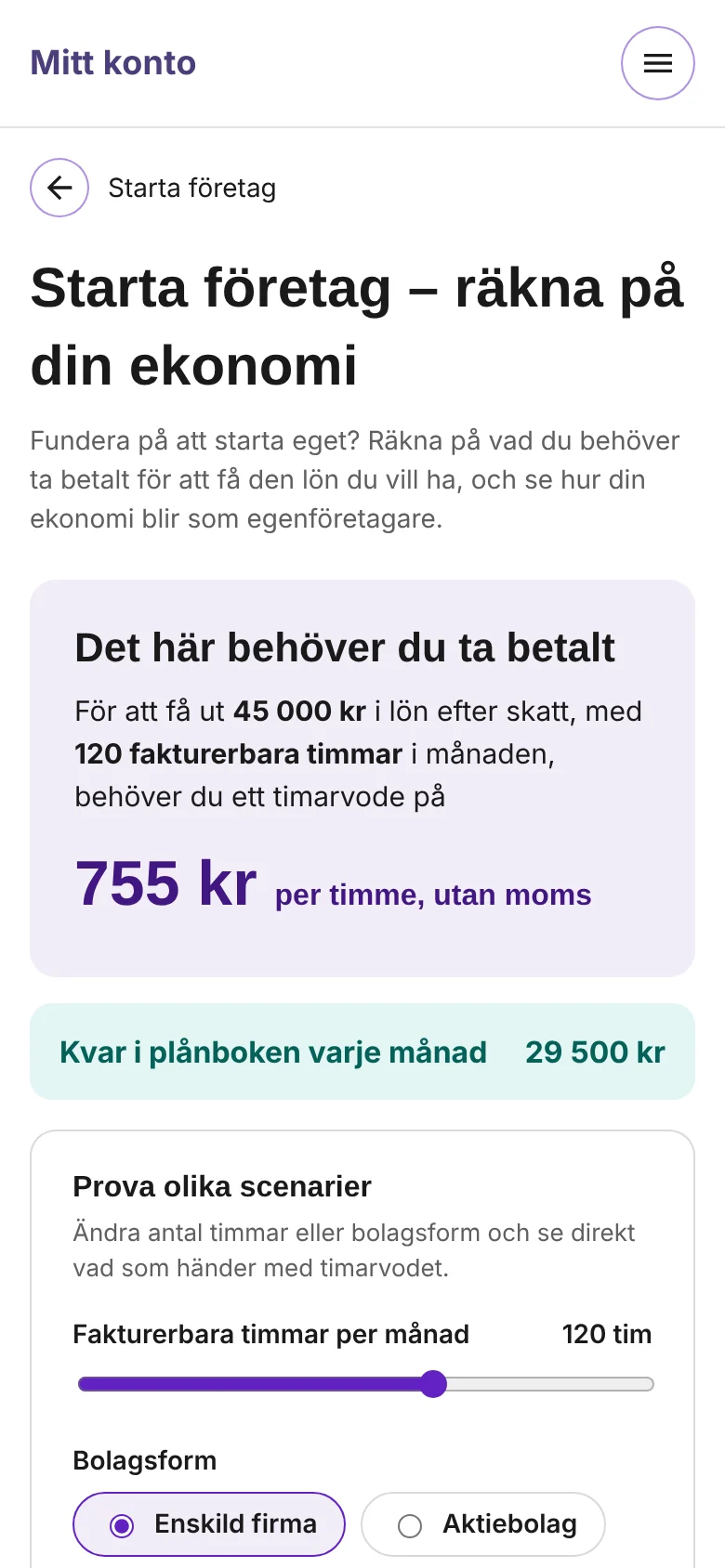
- The answer first, the maths afterThe result leads with one number, the hourly rate, in a sentence that repeats your own choices. The full breakdown follows for those who want to check it.
- Made to experimentStarting a business is full of “what if”. The forecast can be changed right there: fewer billable hours, or a limited company instead of a sole trader, and the hourly rate follows.
Two ways to guide
I explored two patterns from the design system. A vertical stepper keeps every step on one page and shows your answers as you go. Short cards ask one question at a time, and fit inside the page about starting a business, next to the other tools and help.
Where it lives
The calculator is part of the page about starting a business, for people logged in and for visitors who are only curious. The card version let it sit there as one tool among others.
The calculator, step by step
The screens are in Swedish, from a working prototype of the design. Click an image to enlarge it.
Working prototypeOpen the calculatorAnswer four short questions and see the hourly rate you need. Then change the hours and the company form, and watch the rate and the forecast update. In Swedish, on desktop or mobile.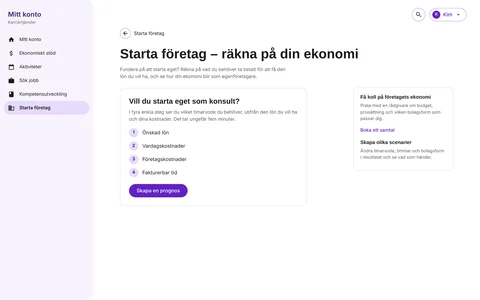
Four questions
One clear answer
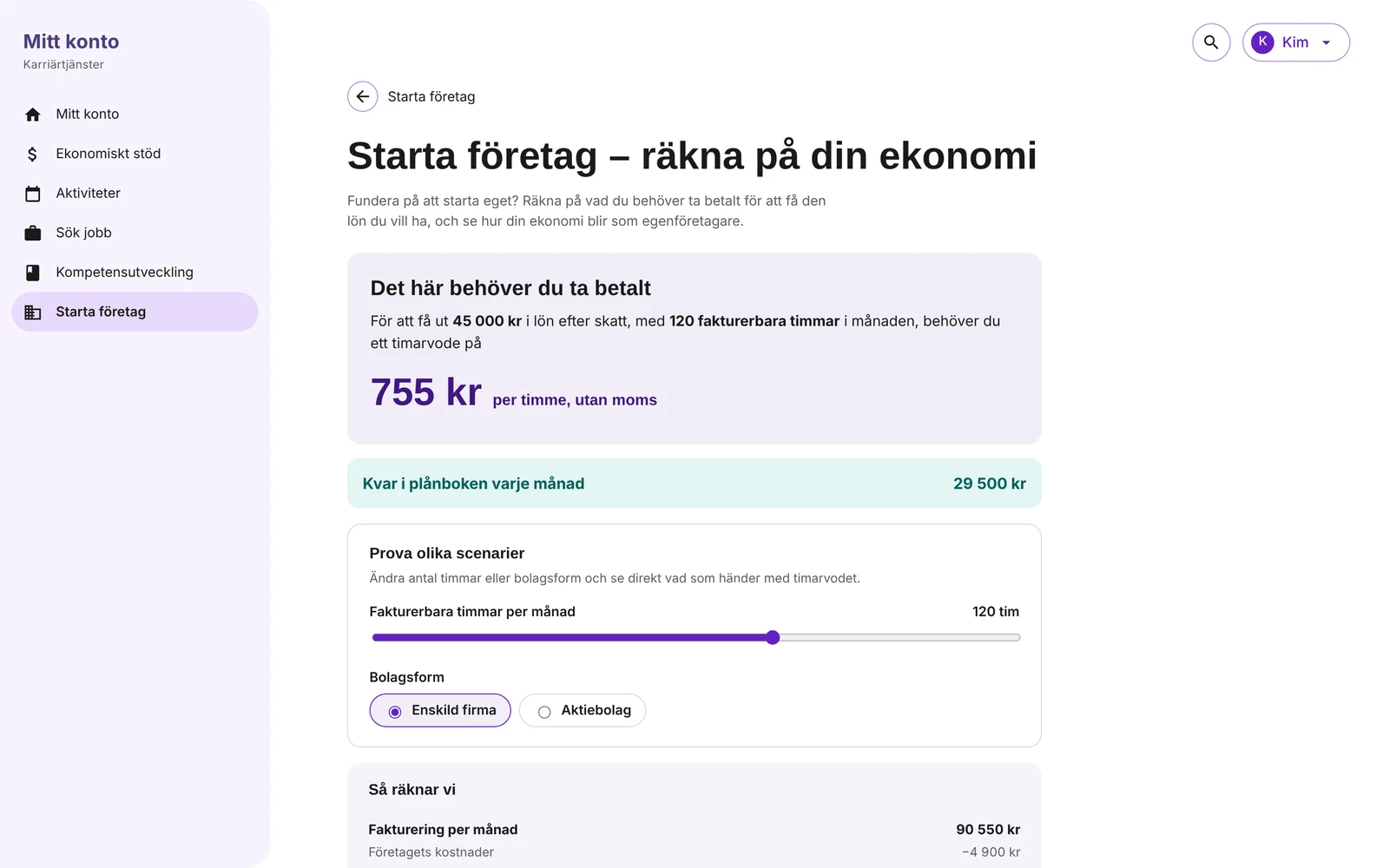
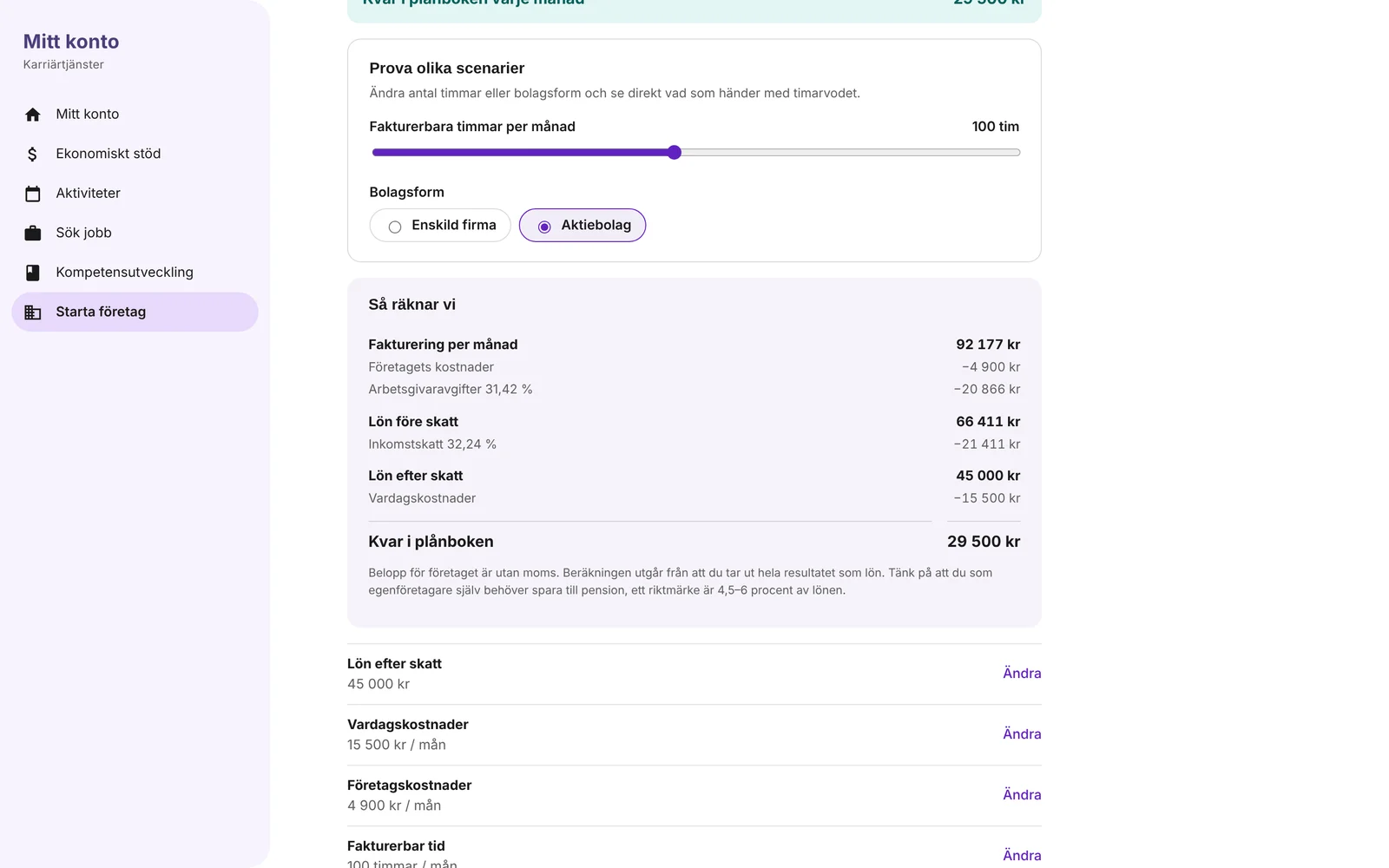
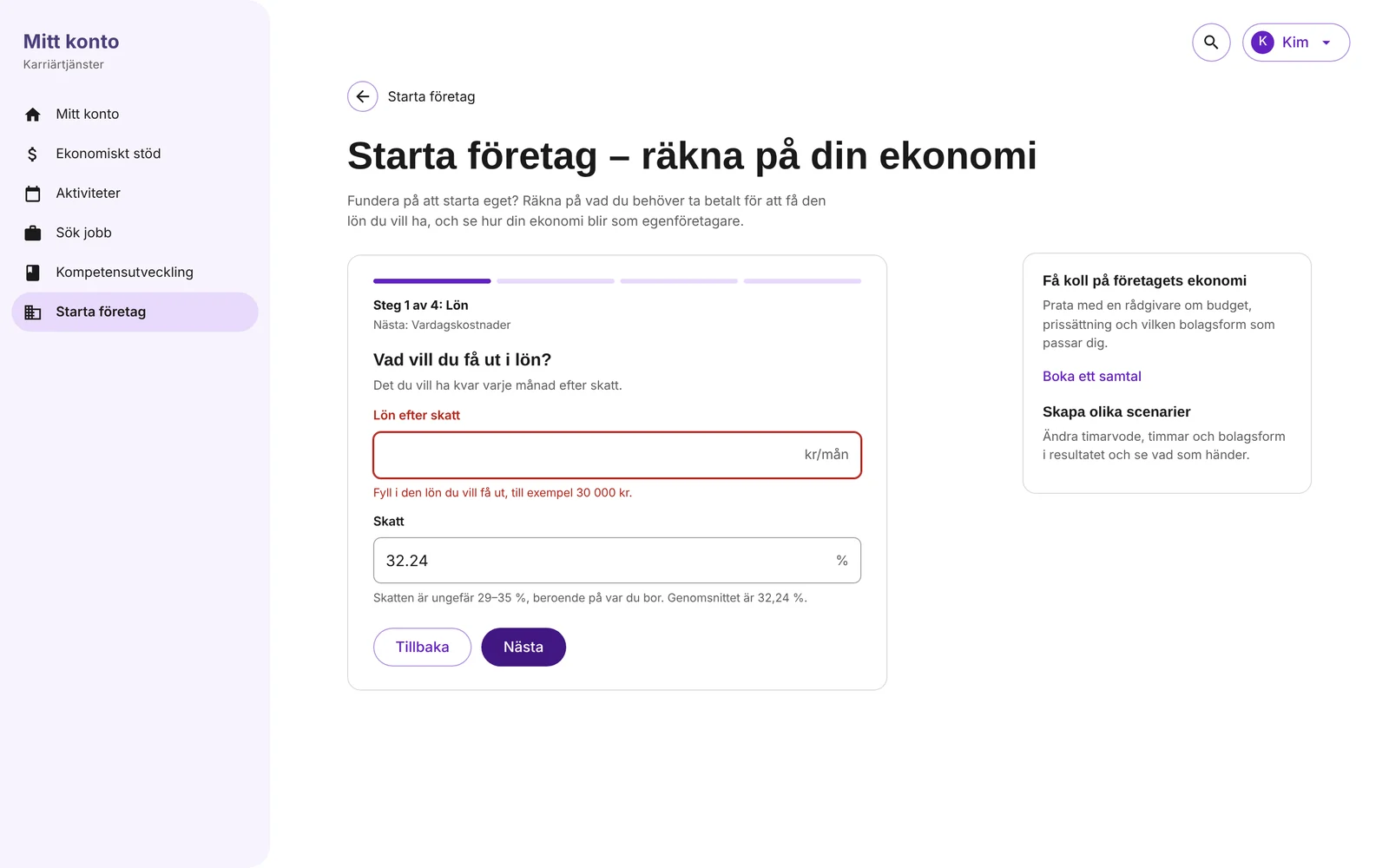
On mobile
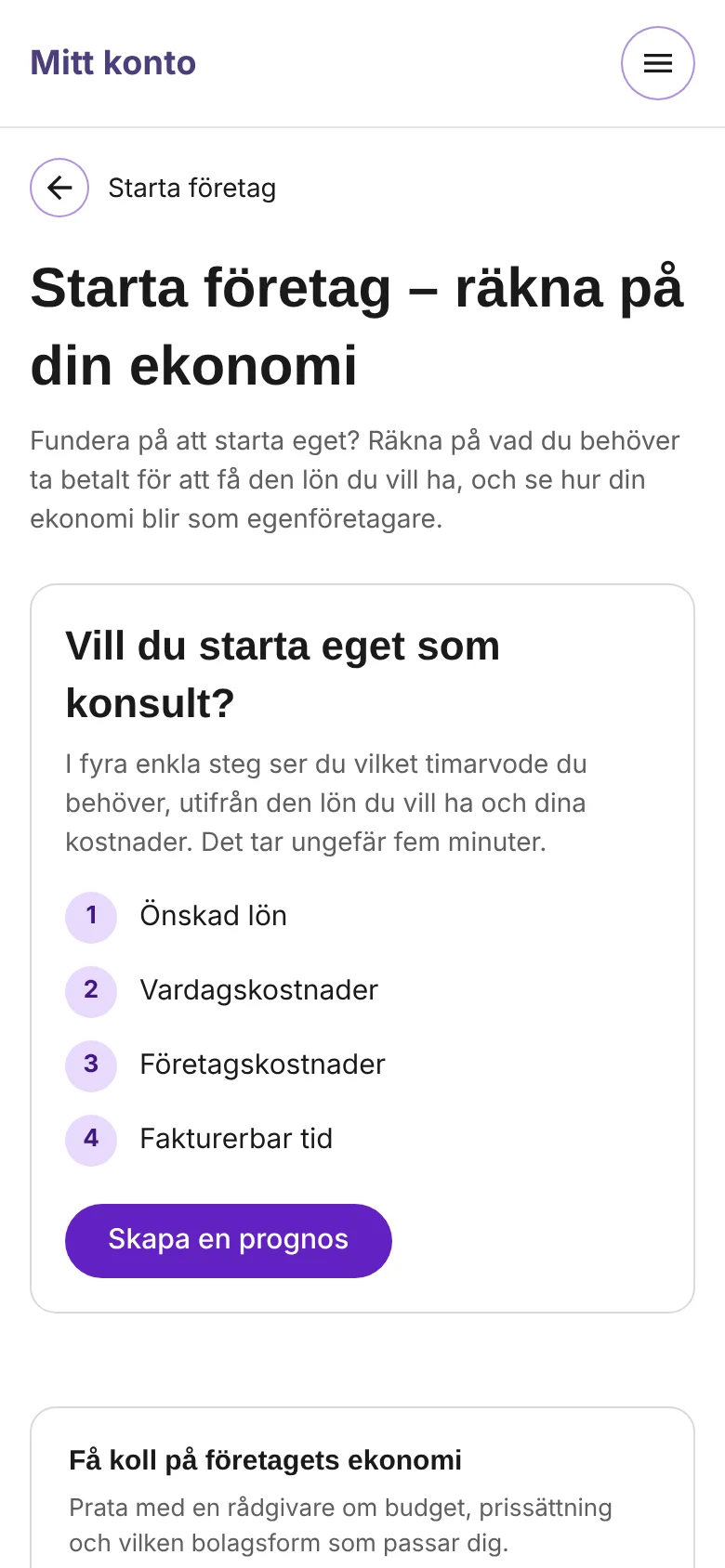
UX and UI details
Your words, not the ledger’s
“Lön efter skatt” and “Kvar i plånboken” instead of “nettolön” and “resultat”. The accounting terms stay in the breakdown, where they explain the maths.
Totals as you type
Every cost step adds up live, so nobody has to do sums in their head before moving on.
Green or red, with words
What is left each month shows in green, or in red when the salary doesn’t cover the costs. The text says which, so colour is never the only signal.
Easy to go back
Each answer is listed under the result with a Change link that opens just that step.
Honest small print
Amounts are without VAT, the whole result is taken out as salary, and you need to save for your own pension. Said once, in plain words.
Built from the design system
Fields, buttons, progress and cards from TRR’s design system, so it feels like the rest of the service and was quick to build.
What I took with me
Designing both paths, Sök jobb and Starta företag, from the same vision and the same blocks meant people could move between them without starting over. Someone unsure whether to look for a job or start a business finds the same kind of help in both.
The spreadsheet wasn’t wrong. It answered the question in the order an accountant would. Turning it around, so it starts from the salary people want, changed more than any visual detail.
A good self-service tool doesn’t only give an answer. It lets people ask the next question themselves: and what if I work fewer hours?